

A quick history of Google Block Breaker
Picture 1976: arcades buzzing with Atari’s Breakout. A single paddle, one ball, rows of bricks waiting to crumble. Nolan Bushnell and his team dreamed it up as Pong’s spiritual sequel—simple physics, endless replayability. Fast forward decades, and that core idea still captivates.
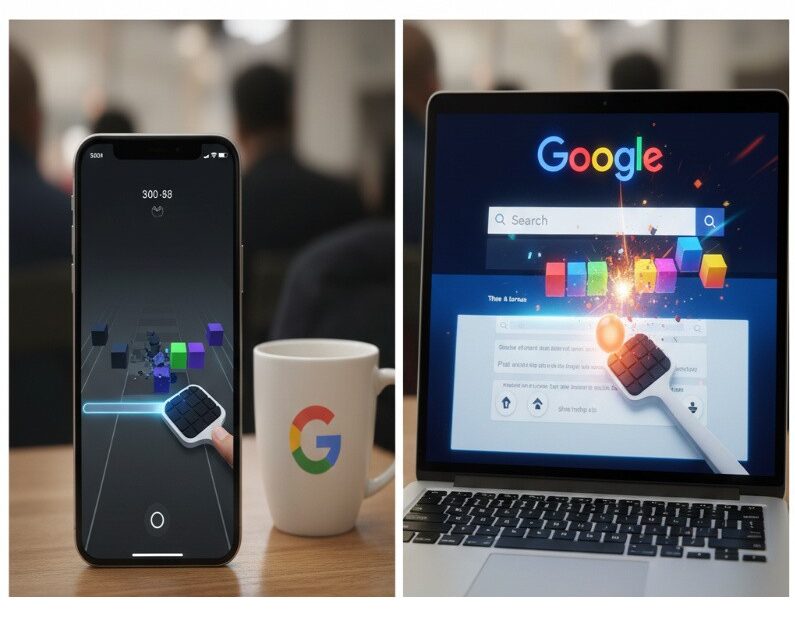
Google first tipped its hat in 2013 with an Easter egg in Image Search. Type “Atari Breakout,” and thumbnails turned into breakable bricks. Wild, right? It spread like wildfire, but Google phased it out eventually. Then, early 2025, they dropped the real deal: Google Block Breaker. Search those exact words on Google.com, and a playable tile pops up—no apps, no downloads, just instant action across desktop, phone, or tablet.
Why revive it now? Maybe the rise of quick-hit mobile games, or nostalgia cycles hitting peak. It’s not a full Doodle, more a hidden gem tucked into search. I stumbled on it during a late-night scroll—thought it’d be five minutes, turned into an hour. For the full backstory on how it evolved from pixels to power-ups, check our Block Breaker game history.

Google Block Breaker vs. past versions
Each iteration builds on the last, but let’s break it down side by side. The original Atari felt raw—coin-op limits meant tight design. Google’s 2013 hack was clever chaos, using endless image grids. Today’s version? Polished, with deliberate levels and surprises.
| Feature | 1976 Atari Breakout | 2013 Google Easter Egg | 2025 Google Block Breaker |
|---|---|---|---|
| Access | Arcade machine | Google Image Search | Google Search tile |
| Visuals | Black & white pixels | Image thumbnails | Colorful gradients, themes |
| Extras | None | Endless bricks | Power-ups, levels, lives |
| Controls | Knob | Mouse | Mouse, touch, arrows |
Not perfect symmetry here—the new one trades infinite play for structured progression. Some purists miss the old grind, but most love the upgrades. It’s addictive in a good way, or maybe too good—depends on your self-control.
Core rules and how to launch the Block Breaker game
Launching is dead simple. Head to Google.com, type “Google Block Breaker,” hit enter. A preview tile shows up—click it, and you’re in. On mobile? Swipe works fine; desktop mouse glides smoothly. Keyboard arrows too, if you prefer old-school.
Rules boil down to this: paddle at the bottom, ball pinging up. Hit blocks to shatter them—points rack up by color (darker ones worth more, usually). Ball drops past paddle? Lose a heart. Zero hearts, game over. Clear a screen, advance to faster chaos. Short version: keep the ball alive, destroy everything.
Scoring’s straightforward but sneaky. Base points per block, multipliers for chains—no gaps between hits. Lives show as three hearts top-left. Pause with Esc, or just let it run. It’s forgiving for newbies, punishing for pros. Three hearts feel generous at first—then speed kicks in, and suddenly it’s stingy.
Mastering Google Block Breaker power-ups
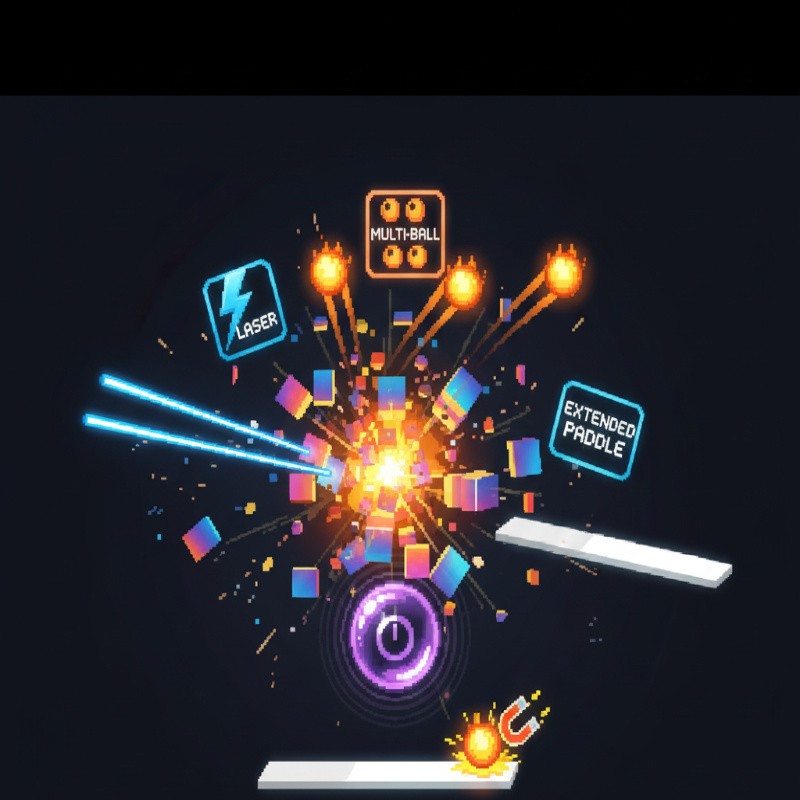
Power-ups are the game-changer, dropping from shiny blocks. They fall slow, so position smart. Grab multi-ball first—sudden frenzy clears screens fast. But lasers? Precise shots on stubborn bricks. Paddle extend buys breathing room when things heat up.
Not all drops are equal. Some runs, you drown in goodies; others, drought. I think multi-ball edges out for sheer score potential—turns one ball into four, combos explode. Here’s the full rundown:
- Multi-ball: Spawns 2-4 extra balls. Chaos reigns, but gaps form easy. Best early-game.
- Laser paddle: Twin beams fire up continuously. Shreds rows, but drains quick.
- Paddle extend: Doubles width temporarily. Safety net for wild bounces.
- Speed down: Slows ball—rare, but clutch on fast levels.
- Sticky paddle: Ball sticks on hit, launch at will. Tricky timing.
For a deep dive on drop rates and combos, our Google Block Breaker power-ups piece has tier lists and playtests. Hesitation here: lasers feel overpowered sometimes, almost cheapens the paddle work. But hey, scores don’t lie.
Google Block Breaker power-ups ranked
Ranking’s subjective—depends on your style. Aggressive players chase multi-ball; controllers grab extends. From hours grinding:
- Multi-ball: Score king, pure volume.
- Laser: Surgical, high efficiency.
- Extend: Survival boost, consistent.
- Sticky: Skill-dependent, fun twist.
- Speed down: Niche savior.
Practice spotting them mid-bounce. Tangent: once grabbed three multis in one drop—screen cleared in seconds, 20k points easy. Rare magic.
High score strategies for Google Block Breaker
High scores demand patience, not frenzy. Core trick: corner bounces. Nudge ball off paddle edges at shallow angles—creates pinball loops on top rows. Flat center hits? Straight up, easy drop. Experiment—paddle position controls trajectory perfectly.
Level pacing matters. Early screens, hoard power-ups. Mid-game, chain clears. Late? Survive. Lives are precious; don’t chase every drop. Average first run: 5k. With practice, 30k+. Pros hit 50k+, sharing clips online. Consistency over flair, I suppose—though a lucky multi-run tempts flair every time.
Pro tips table for quick reference:
| Strategy | Why it works | Score boost |
|---|---|---|
| Corner angles | Longer flights, top-row hits | 2x combos |
| Power-up priority | Multi > laser > extend | 3-5x clears |
| Mobile tweaks | Swipe sensitivity | Precision gain |
| Dark mode | Less eye strain | Longer sessions |
Want drills for 50k+? Our Block Breaker high score tips breaks down leaderboards and frame-by-frame analysis. It’s open-ended—luck plays a part, no denying.
Comparisons and mobile tweaks
Stack it against clones like Block Breaker King apps: Google’s free, no ads, pure. Apps add levels, but feel paywalled. Physics here nail realism—ball arcs believable, no wonky floats. Mobile shines with touch; adjust swipe speed in settings if laggy.
Dark mode toggle? Game-changer for night owls—blocks pop without glare. Vs. 2013: finite levels beat endless grind. Mild contradiction: simpler is better, yet power-ups add just enough complexity. Relatable: played on commute once, nearly missed stop.
Google Block Breaker endures as a perfect break—quick dopamine, deep skill ceiling. Search it up, smash some bricks, share your best score. Dive deeper with our history, power-ups, or scores guides. What’s your high? Drop it below.